

Check Writing: Write a Check Online and Make Quick Payments
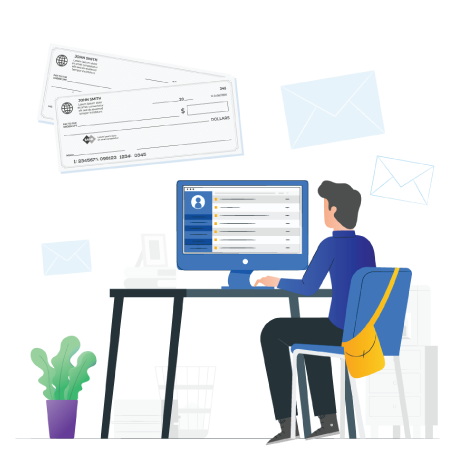
In today’s digital world, instead of manually filling out checks, businesses and individuals can now leverage online tools like PostGrid to streamline the process. These tools offer an efficient, secure, and error-free way to create and issue checks, making payments faster and more reliable. Below, you'll learn how to write a check using an online tool like PostGrid and the benefits of switching to an automated check writing solution.
Key Takeaways
- Online check tools simplify the check-writing process.
- PostGrid ensures accuracy and minimizes errors.
- Businesses can save time by automating check creation and mailing.
- They can improve payment security with encryption and tracking features.
- It is not possible to effortlessly integrate with accounting systems for seamless payments.
Check Writing: Learn How to Write a Check Using an Online Tool
For writing checks, you must know the different fields you must fill out, like the
- Dollar amount
- Payment amount in words
- Name of the person you want to pay, etc.
You can write checks using an online check writer, like PostGrid, wherein you can save your bank account details and payee information. The process is quick and easy, and the cost to send these checks is lower than what you would originally pay to buy a checkbook regularly from your bank.
The check writer online allows you to design, print, and ship the checks in an automated manner, keeping you from putting in any manual effort. Also, you can track your sent mailpieces to ensure they reach the correct recipients on time.
You may send the checks via different USPS mailing services. For example, PostGrid offers First-Class Mail, Certified Mail, and other options. Choose one based on your budget, mailing urgency, and preferred speed.
Talking about writing the checks, you need not worry about filling out the different fields correctly, like the bank account number, amount in words, dollars, etc. The tool or API can automatically fill out these details as you have already synced your check print and mail account with your banking account.
Once you upload the list of your intended payees or contacts, PostGrid can fill out their names on the checks, respectively. You can also enter the amounts you want to pay to each contact in the same list—to automatically fill in those numbers and words on the respective checks. The online checkwriter makes this process a breeze, which would otherwise take much of your time and effort!
Please note that always write a person’s name as the payee and avoid mentioning cash. If unsure, you can use online banking or confirm the payee’s name beforehand.
 Also Read: Why Write a Check Online Using Check API
Step-by-Step Guide to Print Checks for Making Payments
Businesses can use their office printer to print and send checks. However, it must have the Magnetic Ink Character Recognition (MICR) font. They need to write the check and incorporate the MICR line. Also, they require magnetic ink and check paper stock.
Here, they have two options: pre-printed and blank check paper. If you want to fill out a check from scratch, blank paper is a good option. Otherwise, it is always better to have pre-printed checks with all the fields, like the dollar box to write the payment amount, the “pay to the order of” line, and more.
The next thing you know should about is using check templates. You can select the online check writer’s check templates, which it offers based on which bank you have an account with. It can make your checks look as close to your official bank checks as possible.
Thus, you can write and design checks without having technical graphic design knowledge or hiring a designer, thus, saving money. The best part is that making changes is hassle-free and fast. You can make changes whenever needed as long as your checks are not already printed.
PostGrid’s check printing and mailing service lets you print checks using these steps:
- You sign up and log into PostGrid. Select a plan that best suits your needs.
- Our online checkwriter directs you to a dashboard, where you can click on the checks option. Meanwhile, also select “Bank Accounts” to add your bank account details.
- You can create a new check and enter your payee’s details as well as your sender information.
- Add other details, like the amount, check number, and so on.
- Select the page size, send date, and mailing class, and you are all set!
Also Read: How to Write a Check?Third-Party Software Integration: Integrate With Your Checking Account, Bank Account, or Checkbook
After you learn how to write the amount of the check with dollars and cents, you should know about software integrations that make your life easier. Integrate PostGrid into your existing accounts or finance-related software or CRM to let the data flow seamlessly, allowing you to print and mail checks without issues. Our online check writer login enables you to write and order the checks simultaneously, so you don’t spend hours and days to finish the job.
Also Read: What is a Checkbook?Bank or Credit Union Level Security Features
Your checks should be highly secure and have bank-grade-level safety features. You can use watermarks, bookmarks, microprints, and other similar characteristics to keep your checks from being used for fraudulent transactions. It allows you to ensure authenticity and lets the banks cross-verify the check’s credibility.
Luckily, PostGrid’s check API helps businesses send secure checks that follow safety guidelines. All checks have the MICR line and other features, letting you rest assured that the checks will reach their intended payees. Plus, real-time tracking and encryption add extra layers of protection, ensuring that your financial information remains safe from unauthorized access or tampering.
💡Also Read: Easily Automate Direct Mails from Writer
How Can PostGrid Help You Write and Send Checks?
PostGrid’s check writing, printing, and mailing software makes it easy to complete your daily tasks in just minutes, boosting accuracy and security. Writing checks requires careful attention to detail, but PostGrid simplifies the process. This check writer online works on all types of devices, and you can easily connect it to your existing accounting and CRM systems. It also helps you avoid double entries and eliminates the need for manual reconciliation, making your work faster and more efficient.
You have lots of customization options to choose from. Design your checks using our built-in templates or create your own with our HTML template editor. You can adjust the logos, graphics, text, and backgrounds, depending on your branding preferences for your transactional documents, like checks.
PostGrid's user-friendly software also has a dashboard where you can access all your records and reports. Every check you send is stored, and payment entries are automatically added to your system, keeping everything organized and up to date.
Get a demo to learn more about check writing and mailing with us!
Frequently Asked Questions (FAQs)
What is Check Writing?
Check writing is the process of filling out a check to pay for goods or services. With online tools, this can be done digitally, allowing for faster and more accurate payments.
How to Design and Print Your Checks Online?
You can design checks using templates or customize them with your logos and details. Once designed, checks can be printed or mailed directly through platforms like PostGrid.
How Much Does it Cost to Write Checks Using PostGrid?
PostGrid offers flexible pricing based on your volume of checks, with affordable options for businesses of all sizes. The cost to send one check starts at $1.10.