

The Modern Marketer’s Guide to CRM Direct Mail Automation
Almost every business uses a Customer Relationship Management (CRM) system as a centerpiece of its approach to managing customer interactions. In fact, companies using CRM report a revenue increase of 25-30%.
A modern CRM has complete tools to improve marketing and inventory planning. It also helps in simplifying collaboration, customer communication, and compliance. The only thing it lacks is the touch of tangible physical communication.
CRM direct mail automation enables teams to trigger mailpieces directly from their existing dashboards. There’s no need to use a third-party app or juggle between vendors for printing and mailing. Besides, marketers can automate direct mail campaigns based on events or actions within the CRM. It cuts down the need for manual intervention to sync data and schedule campaigns.
This guide is the perfect place to learn everything about CRM direct mail automation and how it works.
TL;DR
- CRM direct mail automation converts CRM events into printed mailpieces directly from your dashboard.
- Marketers can close the gap between digital workflows and digital touchpoints with this integration.
- Native CRM integrations give you better data freshness and access control than third-party tools.
- It is ideal for industries that value timing, personalization, compliance, and convenience.
Key Takeaways
- Businesses connect automated mailing systems with CRMs to trigger or schedule direct mailpieces.
- They can set up and send mailers to customers with minimal manual intervention.
- CRM integrations sync customer data in real-time to autopopulate mail templates dynamically.
- Marketers must define specific triggers or events within the CRM to automate direct mail campaigns.
- Built-in campaign creator, audience segmentation, custom automation workflows, and tracking mechanisms are some must-have features for a direct mail software.
- Scheduling direct mail campaigns from CRMs stops fragmented workflows, stale data, compliance gaps, and duplicate records.

What Is CRM Direct Mail Automation? Why It Matters?
It refers to connecting your Customer Relationship Management (CRM) software to an automated mailing system. Businesses use this to trigger or schedule physical mailers based on events. Accordingly, the system could automate mailers for new signups, purchases, anniversaries, and more.
Marketers don’t have to set up the mailers each time an event occurs manually. After all, this automation bridges the gap between the digital and physical worlds. Lastly, the power of CRM data impacts the relevance and timeliness of physical mail.
Higher Efficiency
Organizations using CRM native scheduling integration for direct mail are highly efficient. It helps them automatically draft and send mailers without manual coordination or a dedicated staff. Moreover, you can say it works just like CRM with email campaigns.
There’s no need to manage a dedicated mailroom or third-party software to run direct mail campaigns. Marketers can handle everything without leaving their CRM workflows.
Incredible Personalization Possibilities
Running direct mail campaigns from a CRM also means access to customer data. It can include names, past orders, locations, payment preferences, and more. So, this data could be very handy in personalizing messaging on individual mailers.
Marketers can directly sync this data into their direct mail workflows without manual data entry. As a result, individual mailpieces are more relevant than before, making them unignorable. Hyper-personalized campaigns always contribute to better response rates and ROI for organizations.
Unparalleled Consistency
Judging between multiple tools and vendors makes it super hard to maintain consistency across campaigns. However, CRM direct mail automation saves you from this pain point from day one. Everything works in perfect harmony and sync. In fact, you don’t need to manually sync data between multiple systems.
It makes it easier to manage branding rules across marketing and communication materials. So, every mailpiece you send feels professional and consistent.
Faster Deliveries
Fewer manual steps and third parties also reflect in delivery timelines. Besides, CRM direct mail automation depends on key actions and events instead. There’s no need for in-house printing, sorting, enveloping, addressing, and posting. In fact, some direct mail automation software even offers an incredible SLA of 2 business days.
It makes the timely delivery of time-sensitive welcome letters, bills, and other mailers possible. With CRM native scheduling integration, you can automate such mailers for faster delivery.
Superior Tracking & Reporting
Marketers can access tracking and campaign performance data from a single dashboard. USPS Intelligent Mail barcode (IMb) tracking makes it possible to monitor the real-time status of individual mailpieces. Furthermore, marketers can add custom QR codes or personalized URLs into mailers to get detailed attribution data upon scans or visits.
It makes it easier to gather engagement metrics and plan future campaigns. Even research shows better use of analytics could free up marketing budgets by 15-20%.
Multi-Channel Integration
The best thing about CRM direct mail automation is that it can integrate with multiple channels. So, marketers often create multi-touchpoint campaigns using both digital and physical channels. For example, an event invitation postcard can have an email follow-up. Then, the QR codes on physical brochures can send customers to online portals.
Omnichannel campaigns are the key to keeping your brands at the top of mind for longer periods. Besides, the target audience will resonate more with you instead of going to your competitors.
💡Also Read: Print and Mail Documents With Automation
How Does CRM Print Mail Integration Work in Direct Mail Marketing?
Running automated direct mail campaigns from CRMs is a straightforward process. You only need to find a reliable direct mail software or API provider and a supported CRM to begin with. After all, the goal is to fast-track campaigns, bring more customers, and increase ROI.
Integrate the Direct Mail Software
The first step begins by connecting the direct mail software to the CRM. You can do this by adding the direct mail software from the respective marketplace. For example, search on the Salesforce AgentExchange portal to find the integration. Most integrations only need a single click to start the installation process and connect with your CRM.
Sync Contacts
Once you are ready with your integration, it’s time to sync your contacts. This step will help you select specific contacts for targeted direct mail campaigns. Besides, it is possible to use existing CRM contacts for these campaigns. Also, you can upload CSV files directly to sync fresh contact data.
Design the Templates
Start designing branded templates for letters, postcards, self-mailers, and checks. Make them consistent and professional, just like your digital marketing materials. Besides, you can later customize these templates with recipient-specific data.
A credible direct mail software should let you tailor the colors, fonts, logos, and layouts of the direct mail templates.
Define Automated Triggers
Now comes the real data part of the CRM. You have to define the specific triggers within the CRM that will send mailers. The customer must take specific action, and an event must occur to begin the production. It could be anything, including:
- A new customer enters your pipeline
- Inactive customers
- Abandoned cart
- Upcoming holiday or customer event
- Unpaid account
- Customers with churn
Print the Mailers
Next, your CRM routes the mailer for printing at a separate printing facility nearest to the recipient to reduce postage. The printer uses high-quality digital printing methods to produce the collaterals with consistency.
CRM direct mail automation helps you avoid the resource-intensive and time-consuming printing process.
Mail via Preferred Mailing Service
Lastly, depending on the time-sensitiveness of the mailer, you can select the mailing class. It helps you prioritize specific mailers without overspending on unnecessary batches. Later, the CRM allows you to view real-time delivery status and insights from a unified dashboard.
💡Also Read: Direct Mail Templates
Must-Have Features for CRM Direct Mail Marketing Automation
CRM print mail integration is becoming a necessity for organizations expecting to improve their reach. But, considering so many available options in the market, you shouldn’t compromise on features.
Built-in Campaign Creator
It must be super simple to create a new campaign within a few clicks. Find solutions that let you connect with CRM data, create triggers, and come with drag-and-drop tools. Above all, you don’t want to waste training staff on how to use the solution. Built-in campaign and template creators make the job so much easier.
Smart Audience Segmentation
Then, you also need segmentation tools to segregate your mailing list. It must be easier to categorize contacts according to their demographics, income level, and other metrics.
CRM direct mail automation should consider real CRM data, like lifecycle stage and purchase history. Altogether, it makes the campaigns more relevant and targeted. Some solutions even come with built-in address verification capabilities to streamline deliveries.
Custom Automation Workflows
Next, the ability to build tailored workflows is critical to avoid any kind of manual work. The best direct mail solutions help you create triggers based on customer actions and timelines. For this reason, it becomes easier to avoid manual data entry at any point of the campaign.
Revenue Attribution Mechanisms
Tracking and attribution are also necessary to see where your mailers and campaigns are going. Reliable direct mail software uses multiple tracking mechanisms to inform marketers about the real-time status. So, they could make quick adjustments depending on customer behavior. For example, a postcard with 20% discount coupon isn’t converting, so they could instantly update the next batch with 35% discount.
Fast and Easy Implementation
What is the point of CRM direct mail automation if you can’t reduce implementation time and manual steps?
Find a direct mail software that needs almost no time to integrate with your CRM. It should also feature a ready-to-use template gallery and bulk import console. So, marketing teams could instantly plan and execute campaigns without spending much time on the prerequisites.
💡Also Read: echomail's for Integration
Best Ideas for Automated Direct Mail Campaigns From CRMs
There could be endless possibilities when you integrate automated direct mail into your CRM. It can handle almost any type of marketing and communication campaign with ease. Besides, custom triggers make the mailers feel more timely and relevant. Here are some of the best ideas you can implement:
Lead Nurturing Sequence
Automated well-time content is the best way to motivate your new prospects. Use CRM data to track lead behavior and send relevant direct mailers to build trust and address their unique needs. Besides, the content could be about anything from product info, case studies, exclusive discounts, and more. The main idea is to keep them engaged with relevant CRM data.
Customer Re-Engagement Campaigns
Winning back dormant customers is difficult without data-driven mailers. First, you need to detect when a customer goes quiet. Then, create a trigger for personalized offers or check-in surveys. The format could be anything from a tailored letter to a handwritten postcard.
Post-Event Follow-up Automation
Businesses don’t want to lose leads after a webinar, event, demo, or call. They can rely on CRM data to gather attendance and engagement metrics for physical follow-ups. As a result, it keeps the momentum going and people excited about your brand.
Abandoned Cart Postcards
Abandoned carts are inevitable for ecommerce businesses. Almost 70.22% of shoppers worldwide abandon their carts before the checkout process. However, it also shows the opportunity that the customer had some interest in the product. They can trigger a postcard within 24-72 hours of cart abandonment.
This postcard might include a product image with a unique discount or free shipping code. You can also personalize with the customer’s first name and a deadline to redeem the code.
Subscription Renewal Reminder
Recurring revenue is the core component of successful businesses. Timely subscription renewal is important because it ensures a consistent cash flow. Businesses can use CRM direct mail automation to trigger a letter or postcard to remind customers of their subscription renewal.
Set a custom trigger for the automation when the renewal date is 60, 30, or 15 days away. It is the perfect use case for SaaS, insurance, warranties, and B2B contracts. Smart marketers can easily personalize it with usage stats, savings, outcomes, or even account milestones using CRM data.
Cross-Selling Post-Purchase
Customers who have purchased something from your brand might have an interest in other products as well. It could be a fantastic opportunity for cross-selling. A 7-30-day trigger could recommend to them the next best product or service, accessory, or even a care plan.
It drastically increases the chances of repeat purchases. For example, a retailer could cross-sell socks or cleaning kits after selling a pair of running shoes.
Appointment No-Show Recovery
No-shows are common in the healthcare and consultancy industries. Individuals might miss their appointments or cancel them without rescheduling. In such cases, businesses must have an automated recovery mechanism to let people easily reschedule appointments.
CRM direct mail automation can be helpful in recovering lost bookings with trigger-driven postcards or letters. In fact, these mailers often have custom QR codes that navigate the recipient to online rescheduling pages.
Reasons Why CRM Scheduling is a Necessity for Direct Mail Campaigns
Marketing teams often face recurring problems when direct mail scheduling lives outside the CRM. It takes more time to manually sync recipient data and is often prone to mistakes. However, CRM native scheduling integration changes the game with real-time data synchronization and updates. Let’s learn how:
End of Stale Data in Pipelines
Real-time mailing data synchronization with CRMs removes delays. The smallest CRM record update is directly reflected in the mailing data without manual intervention. For example, if a prospect purchases a product five minutes ago, the CRM can directly push the data to the direct mail marketing software for campaigns. So, there’s no dependency on manual syncing.
It is an important factor, especially for teams running speed-to-lead SLAs. The gap between the CRM and mailing data could mean missed opportunities. After all, every marketer is looking for the right timing and opportunity to convert prospects into paying customers.
Identify and Remove Duplicate Records
Bidirectional sync between CRM and a separate direct mail software creates a data integrity risk. There could be sync conflicts when you have duplicate data at hand. In fact, it often leads to wasted time and resources. Globally, poor data quality costs organizations around $12.9 million annually.
Manually syncing means your team has to spend hours identifying duplicates and merging them. And in the worst-case scenario, you might send multiple mailers to the same recipient. As a result, it wastes your resources and might frustrate the recipient. CRM native scheduling integration syncs data in real-time to detect and remove duplicate records.
Bridge Audit Trail Gaps
Businesses operating in regulated industries have to maintain strict compliance guidelines. For instance, healthcare, finance, and insurance belong to compliance-heavy industries. Having a separate direct mail software means compliance complications.
You hardly know when CRM data was accessed and by whom, with manual data synchronization. Admins have to put extra effort into cross-referencing audit logs and timestamps with CRM data. In contrast, you don’t have to worry about these things with CRM native scheduling integration.
Native integrations help you manage the entire compliance routine. Every action is logged with timestamps inside the CRM where your teams already work. So, your compliance team could easily save a lot of time and effort on manual processes.
Effective Management of Permission Complexity
Permissions and role-based access control are critical for a business. Using a separate direct mail software requires a second admin console if it works outside the CRM. These permissions are critical to prevent unauthorized access or action.
For example, you can’t let a fresher access and manipulate sensitive billing data. Imagine an unauthorized employee sending a random invoice to a customer.
CRM native scheduling integration solves this problem by using the CRM’s built-in access controls to manage roles and permissions. As a result, you don’t have to worry about compliance gaps and scheduling permissions.
Stop Workflow Fragmentation
There could be countless problems when you are using a non-native direct mail software. However, the main issue is the operational burden of maintaining it separately. You have to put continuous resources and effort into keeping these systems in sync.
Suppose a customer abandons their cart. You need a dedicated employee who will check this in the CRM and manually update the data on the direct mail software. In contrast, CRM native scheduling integration can sync data and routing rules in real-time. So, you have simple and unified workflows within the organization.
Why You Should Integrate PostGrid’s Direct Mail Automation Software Into Your CRM?
Manual direct mail workflows are becoming a thing of the past. When you consider the latest CRM automation tools and custom workflows, you need a flexible solution. It must connect with your existing CRM and let you create custom workflows.
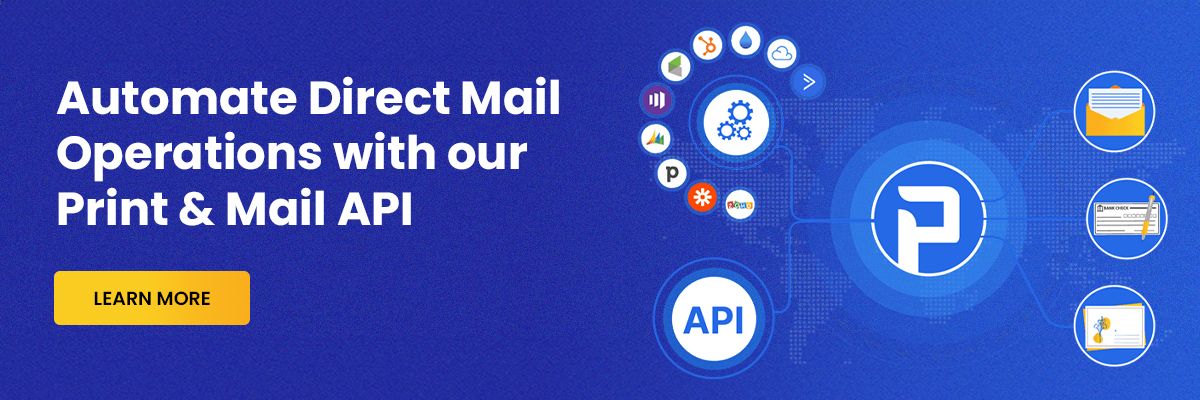
PostGrid’s Direct Mail Software is an automated online solution to send personalized letters, postcards, self-mailers, and checks at scale. It offers native integrations for major CRMs like Salesforce, HubSpot, Zoho, Microsoft Dynamics 365, Pipedrive, Simple, and more.
Marketers can sync their CRM data in real-time with direct mail campaigns for dynamic personalization. After all, Variable Data Printing (VDP) helps in personalizing individual mailpieces with the highest accuracy. Custom trigger-driven mailing is also possible with automated CRM workflows.
You only need to visit the respective CRM’s app marketplace and search for PostGrid.Then, click on install to complete the installation. It will connect online physical mailing capabilities to your CRM. So, you can use action and event-based triggers to send direct mailers to your customers.
Sign up now for CRM direct mail automation.
FAQs
Which Businesses Benefit the Most from CRM Print Mail Integration?
Direct mail integration for CRMs is suitable for almost every industry that demands quickness, compliance, personalization, and control over data. Finance, healthcare, retail, insurance, SaaS, and real estate are some of the best examples.
How CRM Integrations Help With Dynamic Personalization of Mailpieces?
CRM direct mail automation can sync recipient-specific data in real-time to autopopulate mailing templates. So, businesses can use Variable Data Printing (VDP) technology to personalize individual mailpieces with precision.
Does PostGrid Support Batch Processing With CRM Integrations?
Yes, you can process bulk lists natively or upload CSV files for your high-volume campaigns. Also, it is possible to segment the target audience based on their demographics.
How Does a Direct Mail Automation Software Fit Into a Multi-Channel Marketing Stack?
Adding direct mail capabilities to your CRM increases the number of customer touchpoints. You are not limited to digital communication; direct mail is physical and tangible. It enhances your existing email, SMS, and online ad campaigns.