How to Automate Appointment Reminder Postcards for Your Service Business
Automating appointment reminder postcards begins by connecting your CRM or scheduling software to a print and mail automation platform. This integration allows businesses to set up custom triggers, such as confirmed bookings or upcoming service dates, that automatically execute printing and dispatch.
Automated postcards matter for businesses with recurring appointments and when no-shows mean lost money. A well-timed postcard can reach people at the right time and help reduce missed visits.
Physical postcards provide a tactile presence that outperforms digital channels. They effectively reach recipients who filter out emails or text messages, often earning a spot on refrigerators as persistent physical reminders. This guide explains how to automate postcard mailings and maximize their operational impact.
TL;DR
- Appointment reminders are necessary for service businesses with recurring visits.
- Physical cards land differently than texts or email, often working as a lasting nudge.
- Automation highly depends on custom triggers, dynamic templates, and synced customer data.
- Postcards skip the envelope, cost less per piece, and print faster than other formats.
Key Takeaways
- Direct mail postcards have higher open rates, lower per-piece costs, and faster turnaround than other formats.
- Automation helps avoid manual addressing, personalizing, presorting, and printing.
- An appointment-triggered postcard is sent based on a particular event in your system or workflow.
- Service reminders, appointment confirmations, and re-engagement postcards are the most popular automated workflows.
- Connecting data and defining the triggers are the most critical parts of appointment reminder postcard automation.
Why Do Businesses Prefer Postcards Over Every Other Physical Mail Format?
Marketers and businesses may have a lot of different formats, such as letters, catalogs, dimensional mailers, and self-mailers. However, postcards have a unique advantage, especially in automated campaigns.
No Envelope to Open
The message on appointment reminder postcards remains visible the moment they are picked up by the recipients. In contrast, people have to open envelopes to read your letters. Consequently, postcards eliminate open-rate friction altogether.
Lower Per-Piece Cost
Postcards require less paper stock and eliminate envelope requirements, directly reducing material production and postage costs.
Faster Turnaround
Lower material costs also mean quick production and turnaround. You save a lot of time by avoiding folding or enveloping postcards. As a result, your appointment reminder postcards could be timed to a tight schedule.
Higher Response Rates
People tend to read postcards more than other direct mail formats. The message on a postcard is always immediate and very hard to ignore. Plus, they also have a higher shelf life than any digital message or other direct mail format. Besides, people often stick postcards on the fridge, which stays for days, continuously reminding them of their presence.
Perfect for Automation Triggers
Postcards are known for their simplicity and standardization. This makes them an ideal match for automated printing and mailing workflows. They simplify presorting, addressing, and mailpiece processing, eliminating manual intervention from fulfillment workflows.
💡 Also Read: Send Postcards Online
What Are Appointment Reminder Postcards, and Why Should You Automate Them?
Physical appointment reminder postcards are sent to clients to remind them of their upcoming appointments. These cards are typically made from paper or cardstock. Healthcare, beauty, or businesses where recurring appointments are common use reminder postcards.
Well-drafted appointment reminder postcards mention the appointment date and time, the type of service, a business name, and steps to reach the business. Businesses hand them over at a visit or send them via postal mail. For example, patient appointment reminder postcards via USPS Certified Mail.
Automation of these postcards helps you avoid manual addressing, personalizing, and printing in-house. It can also work with predefined triggers to send the postcard at the right moment.
How Postcards Maintain Personal Impact
You might assume that text messaging and emails have rendered physical communication obsolete. However, the reality is exactly the opposite; physical reminder postcards are hard to ignore. People can easily delete or lose them in a crowded inbox like digital messages.
A well-designed postcard stands out in a mailbox, earning a prominent spot on a refrigerator or desk where it delivers ongoing visual impressions. So, a single mailpiece can continuously remind them of your presence in the entire household. For this reason, reminder postcards continue to reduce no-show rates.
What Is an “Appointment Triggered” Postcard?
An appointment-triggered postcard is sent based on a particular event in your system or workflow. The CRM or scheduling software stores the customer data. Automation means connecting this data with a direct mail automation system. Then, you can define custom events, such as a confirmed booking or service date, to programmatically produce and mail a postcard.
The workflow behind triggered direct mail can work from there on its own to send timely postcards.
Most Popular Automated Reminder Postcard Use Cases
Brands can use automated appointment reminder postcards for different scenarios. A well-timed reminder could be helpful to nudge a customer in any lifecycle.
Service Reminders
These reminder cards are sent after a previous visit. They are common in businesses, including HVAC tune-ups, dental checkups, pest control treatments, or pet grooming. The postcard is the physical reminder for your customers that it’s time to schedule again. In fact, these cards are ideal for recurring services or businesses where regular maintenance is critical.
Appointment Confirmations
These postcards are sent right after customers book appointments. The tangible format makes it ideal to stick on the fridge or in drawers, constantly reminding them about the date and time.
Customers have a physical document (the postcard itself) to reference later. Appointment reminder postcards give them something physical to reference later. They help you reduce forgotten bookings, resulting in no-shows.
Re-Engagement and Win-Back Campaigns
These postcards are sent after a specific service interval without a booking. You might prefer to send these postcards when you haven’t heard from a customer in a long time. So, these postcards are a low-effort way to recover business.
💡 Also Read: Custom Postcard Printing
Steps to Automate Your Appointment Reminder Postcards
Automating appointment reminders streamlines business operations through a structured, low-friction setup.
Find an Automation Partner
You begin by finding a suitable printing and mailing platform for your business. Prefer providers with an API, dashboard, dynamic personalization capabilities, tracking tools, and native integrations. Additionally, the provider must demonstrate infrastructure capable of scaling high-volume campaigns without delivery bottlenecks. The right partner saves you from building your in-house mailing infrastructure and hiring a dedicated staff.
Connect Your Data
Next, you have to connect your existing CRM or other system to the print and mail automation platform. It will enable real-time data synchronization and data-driven dynamic personalization. So, you can pull addresses, appointment dates, customer names, and service history from your internal systems and use them in the reminder postcards.
Define Rules and Triggers
You need to hardwire automation triggers upon which you will send the appointment reminder postcards. The trigger could be anything, including a confirmation, maintenance reminder, or a win-back card. You only have to define these rules once, and then automation will take care of the print and mail process.
Use Dynamic Templates
Once you are ready with the triggers, you also need the right postcard template for your appointment reminders. The template must be able to handle Variable Data Printing (VDP) to dynamically autopopulate the postcard with appointment date, customer name, service type, and other details.
Get the template’s design sorted, and it can be used for thousands of customers. Personalization will help each card feel unique and special to the recipients. Also, it makes the message more relevant for them.
Measure Performance
A reliable print and mail automation platform provides complete tracking and reporting tools. So, keep an eye on delivery rates, booking rates, and no-show figures. Besides, use USPS mailing services with delivery confirmation and proof of mailing to know the exact delivery time.
A reporting dashboard also helps you learn what’s working and what’s not. Customer data could be highly useful in refining the timing, trigger, and messaging over time. The unified dashboard is great for understanding how customers are perceiving your appointment reminder postcards.
💡 Also Read: Business Postcard Ideas
Best Practices for Reminder Postcards That Get Results
Automation will help you through the printing and mailing process of the reminder postcards. You still need to follow some best practices to fine-tune the design, messaging, and tracking.
Use the Right Postcard Template
Use a standardized layout ideal for reminders, something that could accommodate the service type, date and time, and other appointment details. After all, the right template will save you a lot of time and keep every card consistent.
Make a Big Impact in a Small Space
Because postcards offer limited surface area, every design element must balance conciseness with critical event details. Try to strategically use the white space to avoid cluttering the postcard. A minimalist design could be a great marketing resource, displaying your professional identity.
Time It Well
Timing is everything for appointment reminder postcards. Mostly, the ideal time to send a reminder postcard is seven to ten days before an upcoming appointment. You need to create the perfect balance since being too late will make people forget you, and being too early has no point.
Highlight Your Business Branding
Don’t forget to maintain consistent branding rules across appointment reminder postcards you send. It means adding your logo, business name, and other layout elements into the mailpiece. This way, your postcards become instantly recognizable by the recipients.
Use High-Quality Paper Stock
Thicker paper stocks and unique finishes add professionalism to your postcards. They immediately add to their perceived value. For example, gloss cover, premium 100lb, or deluxe 100lb instantly grabs attention. It can help your appointment reminders stand out in an inbox.
Include a Clear Call to Action
People must know what you expect them to do once they receive your postcards. So, add a phone number, a short URL, or a QR code that navigates the recipient directly to your booking page. It must be easy to schedule, manage, or cancel the appointment.
Pair Postcards With Digital Reminders
An omnichannel approach could be highly effective when you want to have a wider reach. You can combine your appointment reminder postcard with text messages or emails for the best results. In fact, the tangible postcards will directly reach people who ignore digital messages. At the same time, the digital channels will be ideal for a younger audience.
Plan Both Postcard Sides
The front side is perfect for grabbing attention by adding headlines and relevant imagery. In contrast, put the additional information about the appointment and contact details on the back side. You can also add directions to visit your office.
Don’t Oversell
Reminder postcards target existing clients; avoid aggressive sales copy in favor of clear, service-focused messaging.
💡 Also Read: Print and Mail Postcards Online
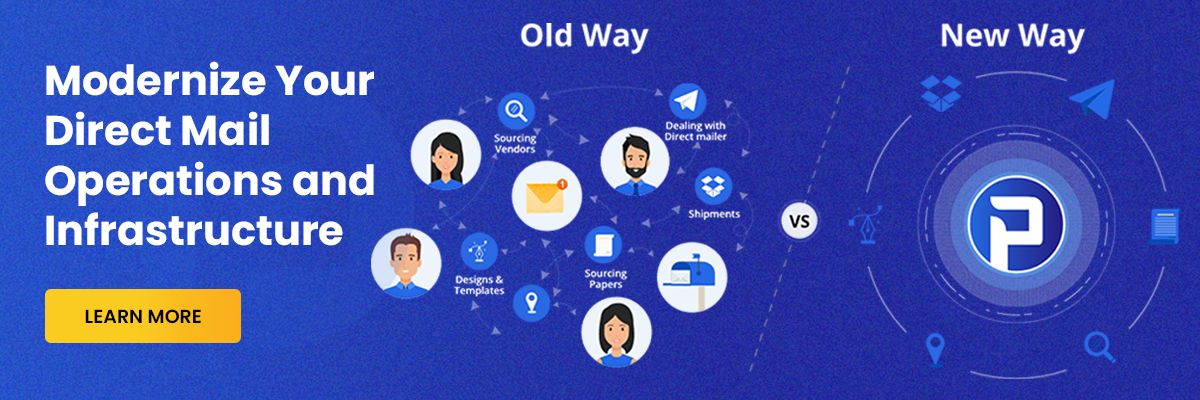
Using PostGrid to Automate Appointment Reminder Postcards at Scale
A reliable print and mail automation platform handles everything, including printing, personalization, address verification, and delivery for your business. There’s minimal manual intervention and no redundant workflows.
PostGrid’s Postcard API could be the perfect solution for you to send appointment reminder postcards programmatically. It offers native integrations for your existing systems to help you sync data, personalize mailers, and set up custom triggers.
Built-in, CASS-certified Address Verification tools identify and correct invalid addresses prior to printing, minimizing return mail rates. Then, you have a centralized reporting dashboard to track the real-time status of appointment reminders.
Sign up now to automate appointment reminder postcards!